Will you still get your six o’clock local news after you switch TV services? Look up the station by its call sign in the provider’s lineup for your home, then check the live schedule for the package you plan to buy. A familiar network logo can tell you which network is available. The station name and schedule tell you whether you can watch the local broadcast you care about.
Write down the stations you would miss
Open your current guide at the time you usually watch. Write down the program, day, time and station call sign. The call sign is the set of letters that identifies the station. If the guide shows only a channel number or network logo, look for those letters on the local station’s own schedule or About page. Channel numbers can change when you switch providers.
Be specific about the broadcast. A Spanish-language evening newscast, a Saturday show on a public station’s second channel, and a Sunday game are three different things to check. For a station with more than one channel, include the subchannel name or number shown on its schedule.
Find the lineup for the home and package you will use
Choose the exact package from the quote. If you’re moving, enter the new location. Providers ask for different details to find the local lineup.
- Xfinity. New customers can look up package options by ZIP code. Xfinity also provides an address-based lineup lookup. Check which package includes the station you wrote down. Xfinity channel lineup instructions.
- DIRECTV. DIRECTV says the billing ZIP code, local market and selected package affect which local channels you receive. If your building or homeowners association supplies DIRECTV, use the building’s service address to check. DIRECTV local channel details.
- YouTube TV. Enter your home ZIP code in its network lookup. If you’re researching while traveling, use the place where you’ll watch most often. Available networks can change when you travel. YouTube TV home-area network lookup instructions.
Check the live program as well as the station
Find the station in the live guide and look at the day and time on your list. A search result offering yesterday’s episode answers a different question from a guide entry for tonight’s broadcast. On YouTube TV, the Home tab mixes live and on-demand results. The Live tab shows the current schedule. For a particular game, check the broadcaster listed for that game, since national and local broadcasts can use different networks. YouTube TV’s live guide and sports availability.
Suppose one package lists the station that airs your evening news, while a second shows clips from the same news team. Mark the first as confirmed once you match the live schedule. Leave the second open until the provider identifies the live feed. If the public lineup hides the schedule until sign-up, you can ask about the station before you order.
Keep one line of notes for each must-have station
Copy this line for each package you’re considering and fill it in as you go.
Station and subchannel ___ · Program and airtime ___ · Home ZIP ___ · Package ___ · Live access confirmed by ___ · Date checked ___ · Extra monthly cost ___
For anything unresolved, ask the provider, “For my service address and the package on this quote, can I watch [station call sign] live at home when [program] airs? If it needs an add-on or a different tier, what is the total monthly price?” Save the dated lineup or written answer with your quote so you can check what you ordered.
Price the packages that carry your stations
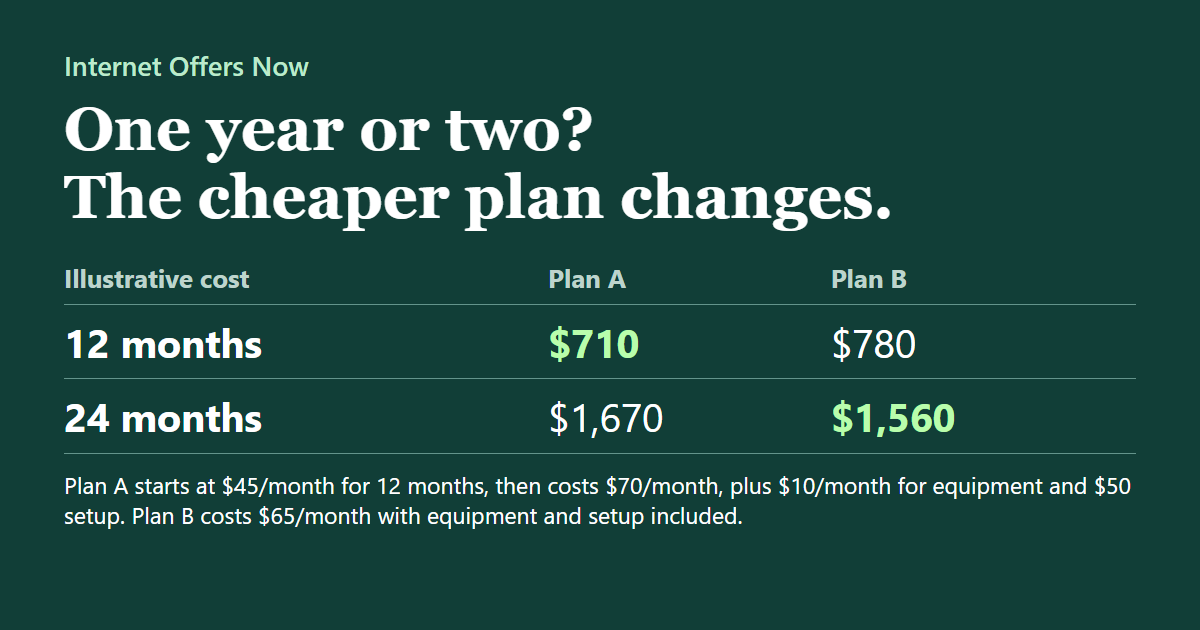
Imagine your internet costs $65 a month and you’re considering a $55 TV package. Together they would cost $1,440 for a year. Now suppose the provider confirms your local station is on its $65 TV tier. The combination you would actually buy costs $130 a month, or $1,560 a year. A $127 monthly bundle that includes that same station would save $36 over the year. These are example prices. The math assumes steady prices, included equipment, no setup charges and equal taxes. Use the fees and promotion dates from your own quotes.
Once you’ve confirmed your stations, compare the remaining equipment, price and contract terms in our home TV package guide. If you also need internet, our guide to Broadband Facts labels shows where to find the internet price after a promotion ends.
Internet Offers Now is an independent comparison and new-service sales assistance website operated by Midwest Global Marketing & Billing LLC. For help comparing new service at your address, call (855) 604-1038. For a missing channel on your current account, contact your TV provider. We may receive compensation for referrals or sales involving select providers. Advertising disclosure.
About this guide
Internet Offers Now provides independent comparison and sales assistance. Availability, prices and provider terms can change. Confirm current details with the provider before ordering.
How we work with providers